Content Management System
Content Management lets admin users edit most website section text directly from the website.
Overview
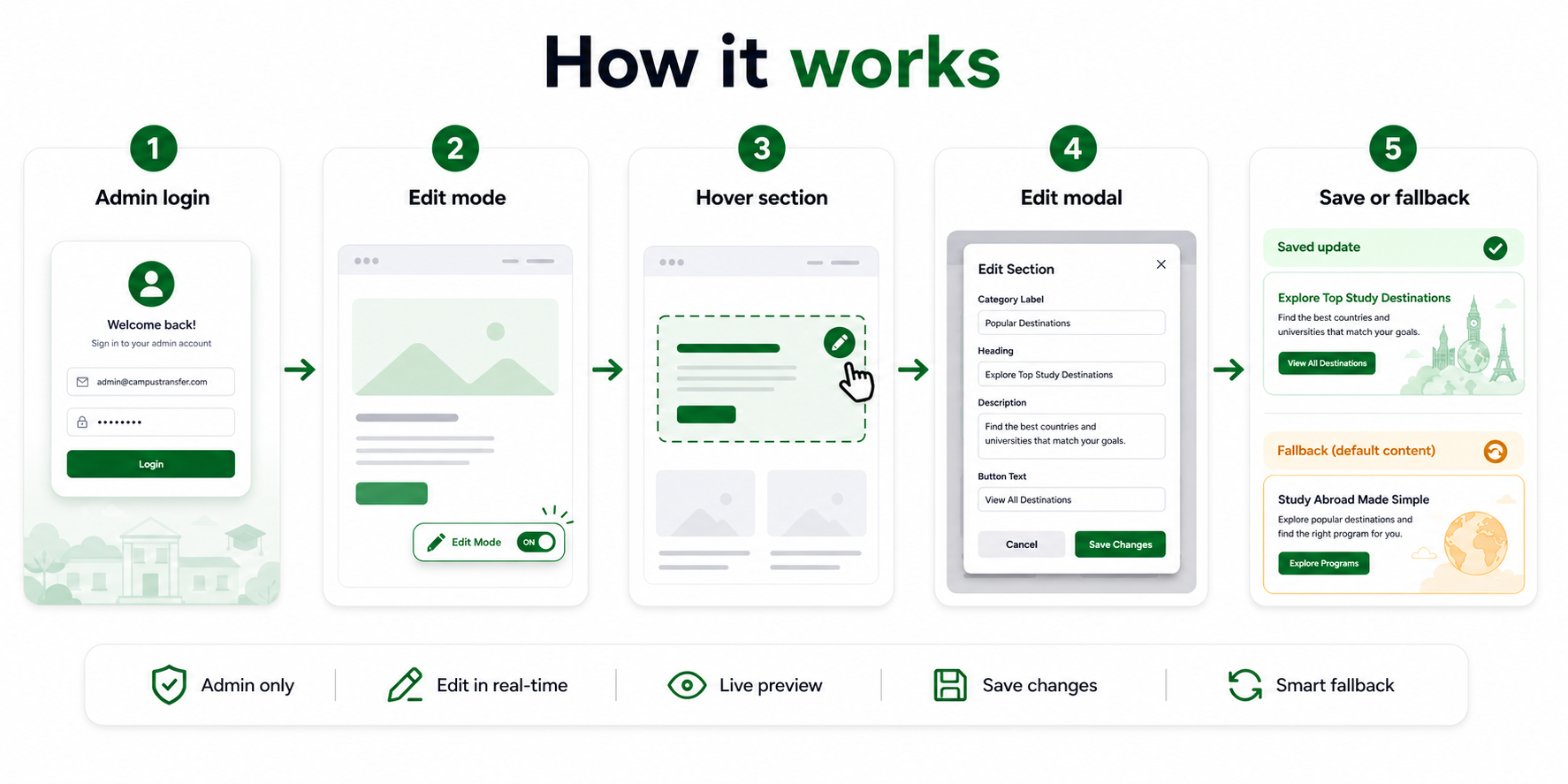
Only admin users can edit website content. After logging in as an admin, go to the main website and turn on edit mode from the bottom-right edit mode button.
When edit mode is on, most website sections show an edit icon when you hover over them. Click the edit icon to open the edit modal, update the text, and save the changes.
Step 1: Login as admin
First, login with an admin account.
Content editing is only available for admin users. If you are not logged in as admin, the edit mode button and section edit icons will not be available.
Step 2: Go to website and turn on edit mode
After admin login, go to the main website.
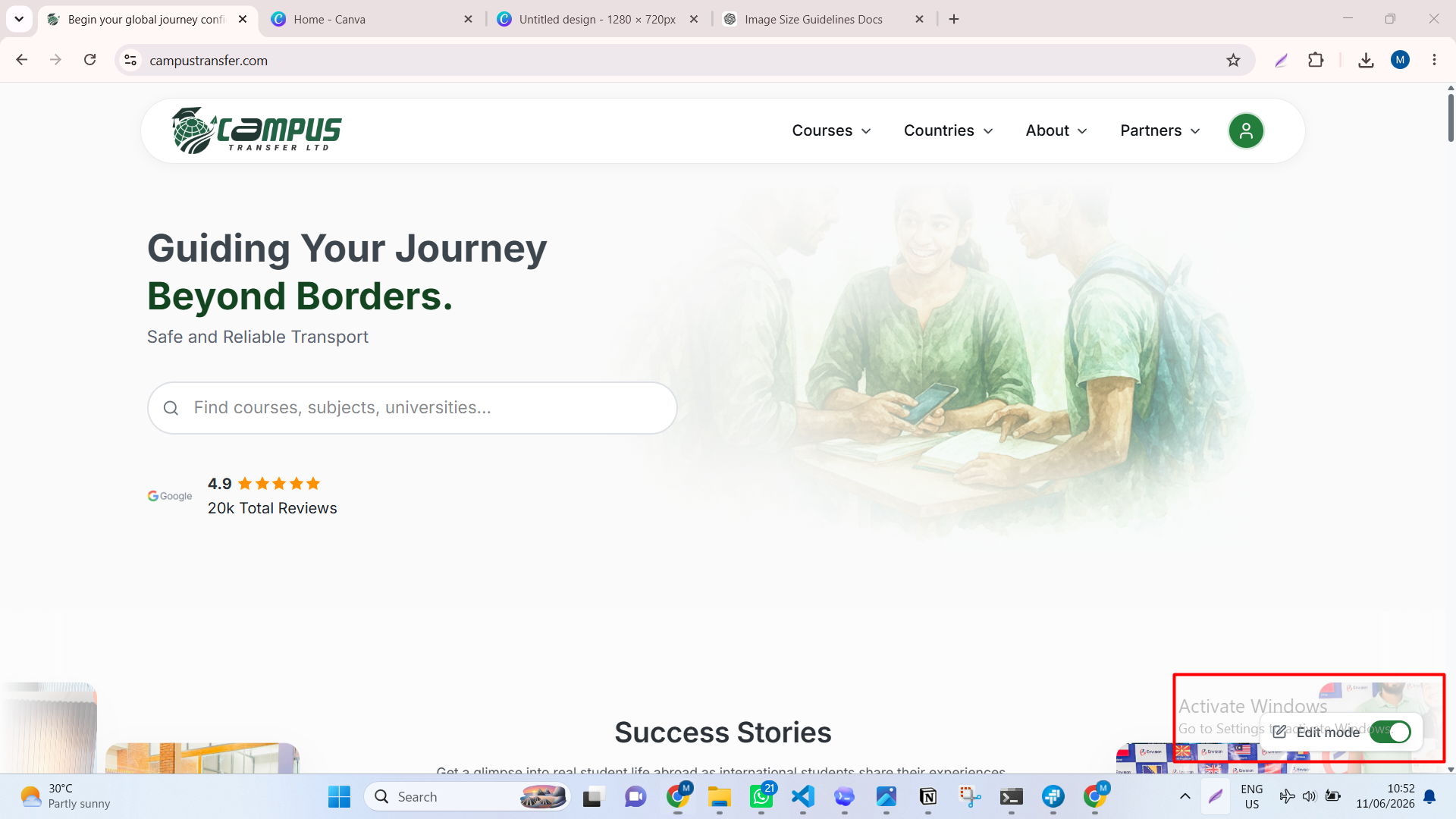
At the bottom-right corner, you will see the edit mode button. Turn edit mode on before editing any section.
Step 3: Hover over a section
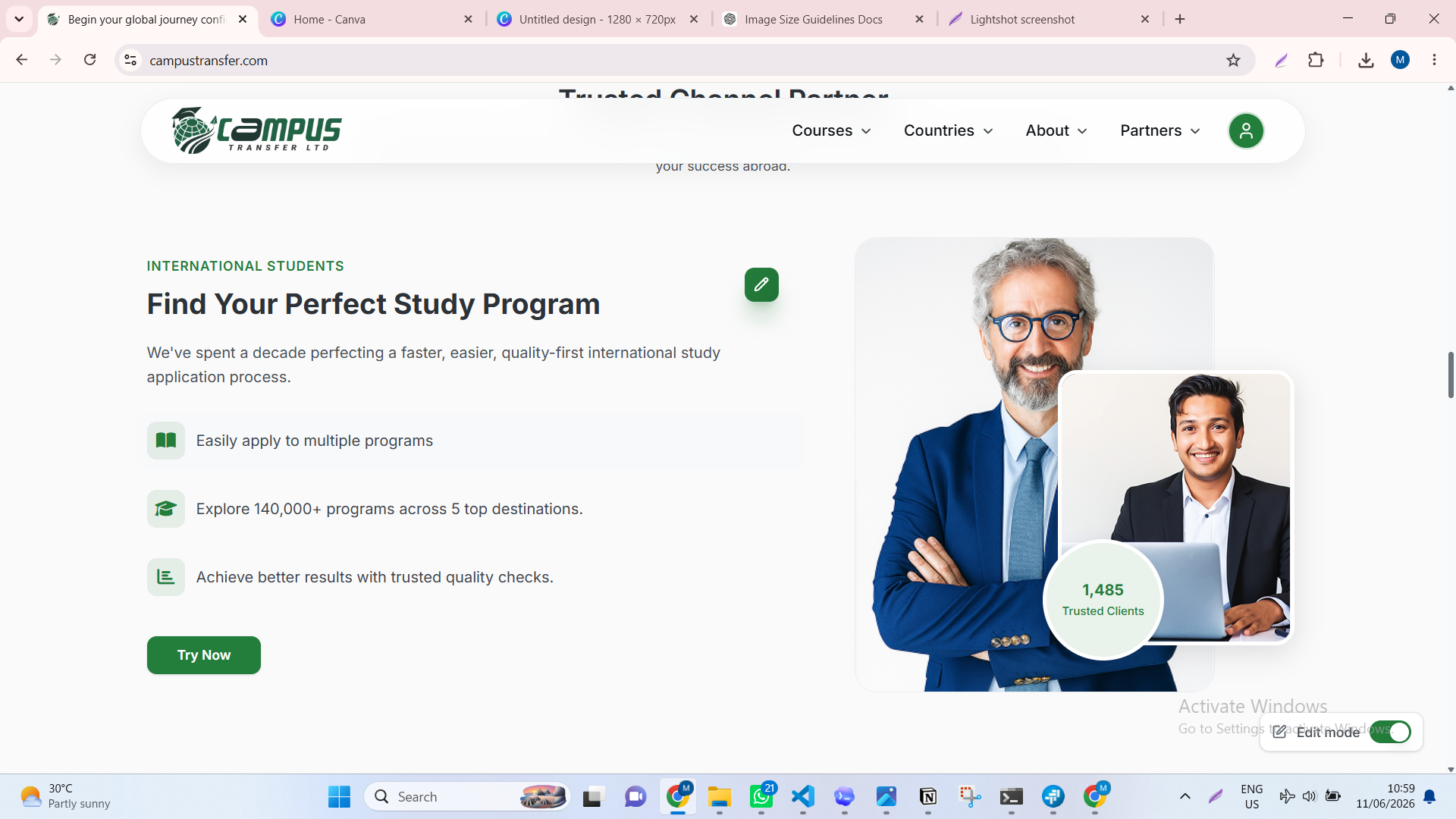
When edit mode is on, hover over the section you want to update.
Most website sections will show an edit icon on hover. This hover preview helps you understand which section is ready to edit.
Step 4: Open the edit modal
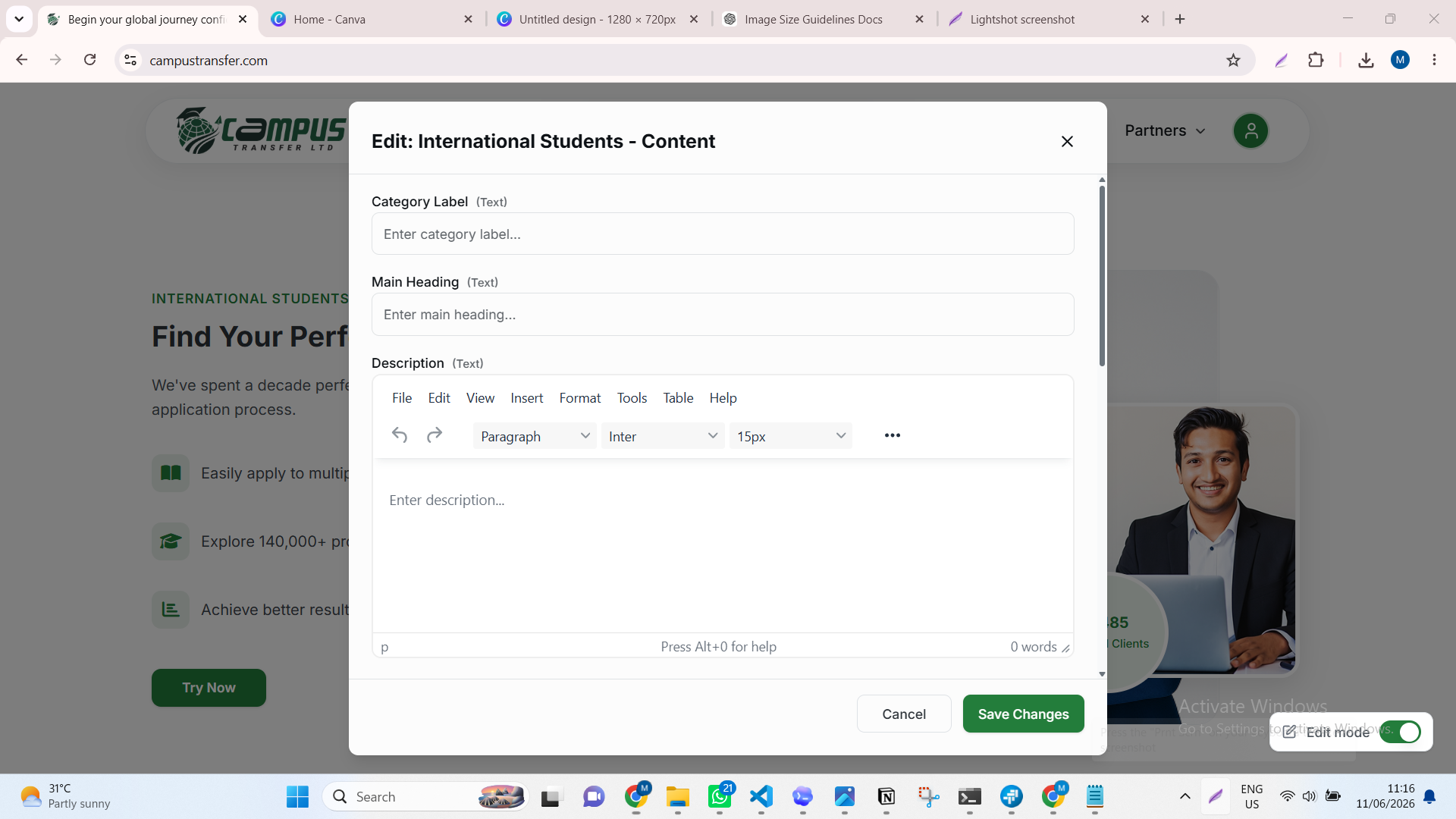
Click the edit icon to open the edit modal for that section.
The modal shows the fields that can be updated, such as category label, heading, description, button text, or other section text.
Step 5: Update and save
Edit the text you want to change, then click Save Changes.
After saving, check the section on the website. The updated content should appear in that section. If the old content still appears, refresh the page and check again.
Fallback content
If a field is empty, the website shows fallback content.
Fallback content is the default text prepared for that section. It keeps the website clean and readable when custom content has not been added yet.
Example:
- Empty title field shows the default title.
- Empty description field shows the default description.
- Empty button text field shows the default button label.
Keep a field empty only when you want the default fallback content to show. Add custom text when you want to replace the default content.